Order Forms
How to fill out a Work Order Form
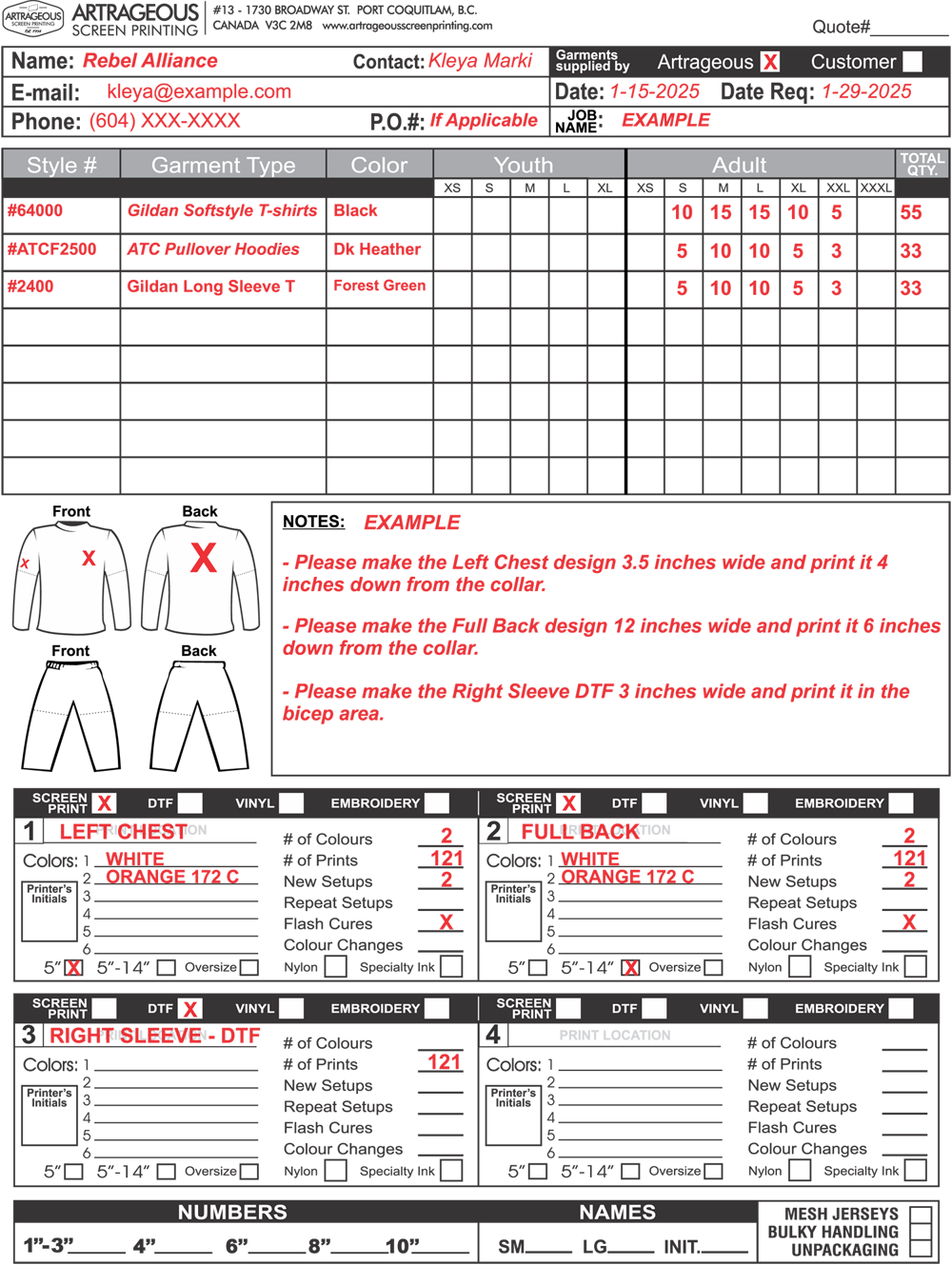
This form is meant to make the printing process easy and accurate. If you are new to screen printing you may be overwhelmed with choices and new information. Filling out a work order form helps us make sure your order is completed as you requested.
Step 1
Customer Contact
Please fill out all the basic information, including your company name, contact name, email address and phone number, the date the order is received by Artrageous and the due date of the order.
Step 2
Job Information
Be sure to add a Job Name and PO number (if applicable) to this section. This is very important for our filing purposes because it will help us find the existing artwork in the event of a re-order.
Step 3
Garment Style number, type and size quantities
Please include the garment style number (as appears on the supplier website or in the supplier catalogue) followed by a description of the garment type (T-Shirt, Hoodie, Crewneck Sweatshirt, Joggers, etc.), garment colour and size breakdown for each garment style.
Step4
Artwork information
In the lower section of the work order please indicate which decoration method you’d like (Screen Print, DTF, Vinyl, or Embroidery) along with the print location for each design (Left Chest, Full Back, Full Front, Right Sleeve, Left Leg, etc.). Please include Pantone numbers (if possible) for each colour in the graphic or list the colour names (ie. red, white, yellow). Let us know if it’s a new graphic or a re-print. Please be sure to indicate on the garment outlines where each print will be located. Finally, please list any special print requests in the NOTES section of the work order.
*Our Stock Pantone Chart is available in the Colour Chart section of the website.*